

Overview
- Register a domain (or use an existing one)
- Create an SSL certificate in AWS ACM
- Configure your load balancer to use HTTPS
Step 1: Set Up Your Domain
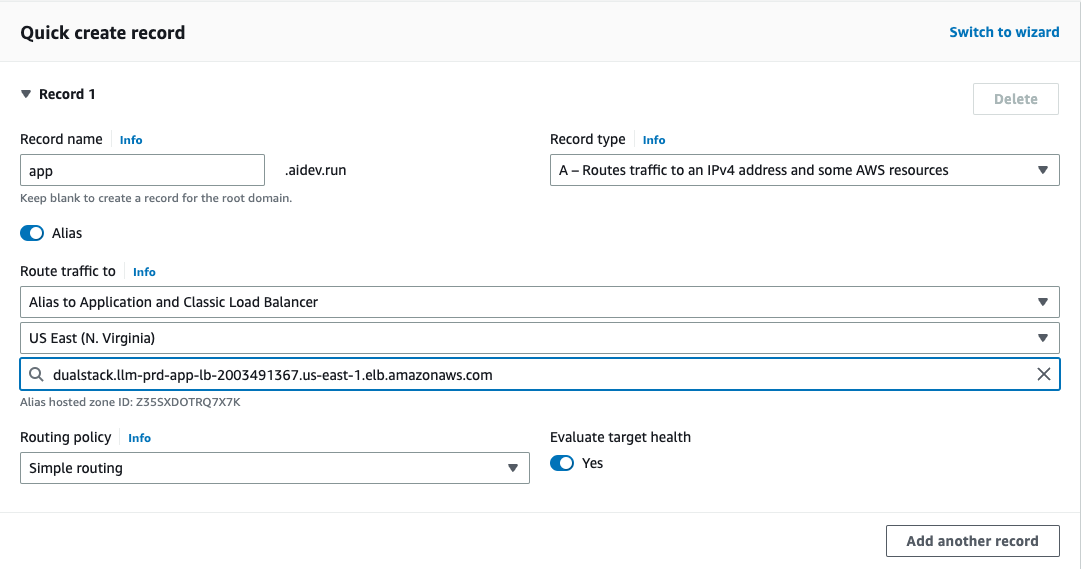
Register your domain with Route 53 or use an existing domain. Create an A record pointing to your load balancer:| Record | Type | Value |
|---|---|---|
api.yourdomain.com | A (Alias) | Your ALB DNS name |
Step 2: Create SSL Certificate
Request certificate
Go to AWS ACM and request a certificate for your domain (e.g., 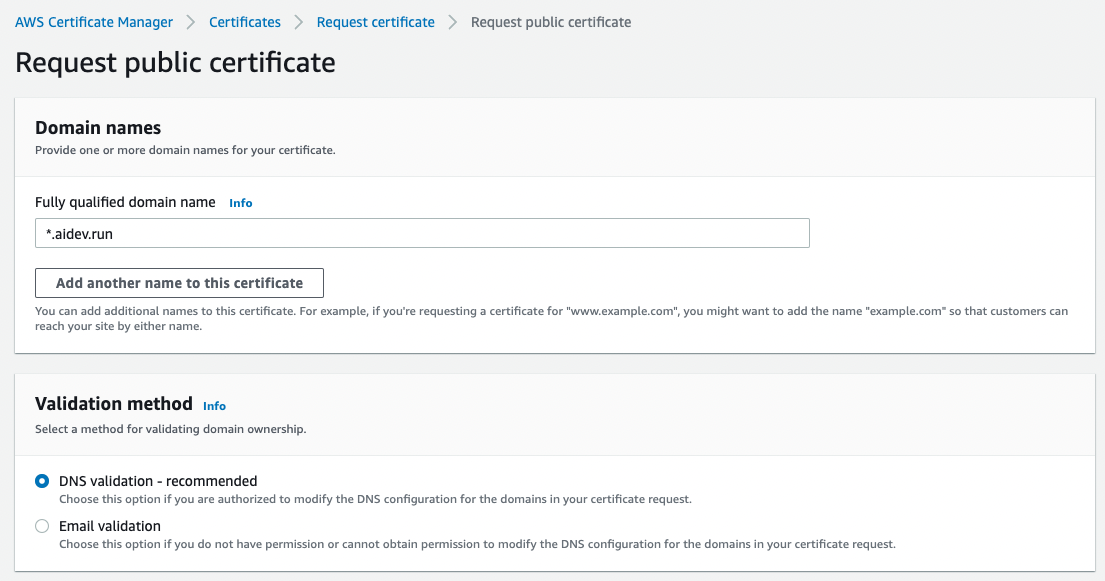
*.yourdomain.com or api.yourdomain.com).Validate the certificate
Choose DNS validation. ACM will provide CNAME records to add to Route 53.Click “Create records in Route 53” to add them automatically.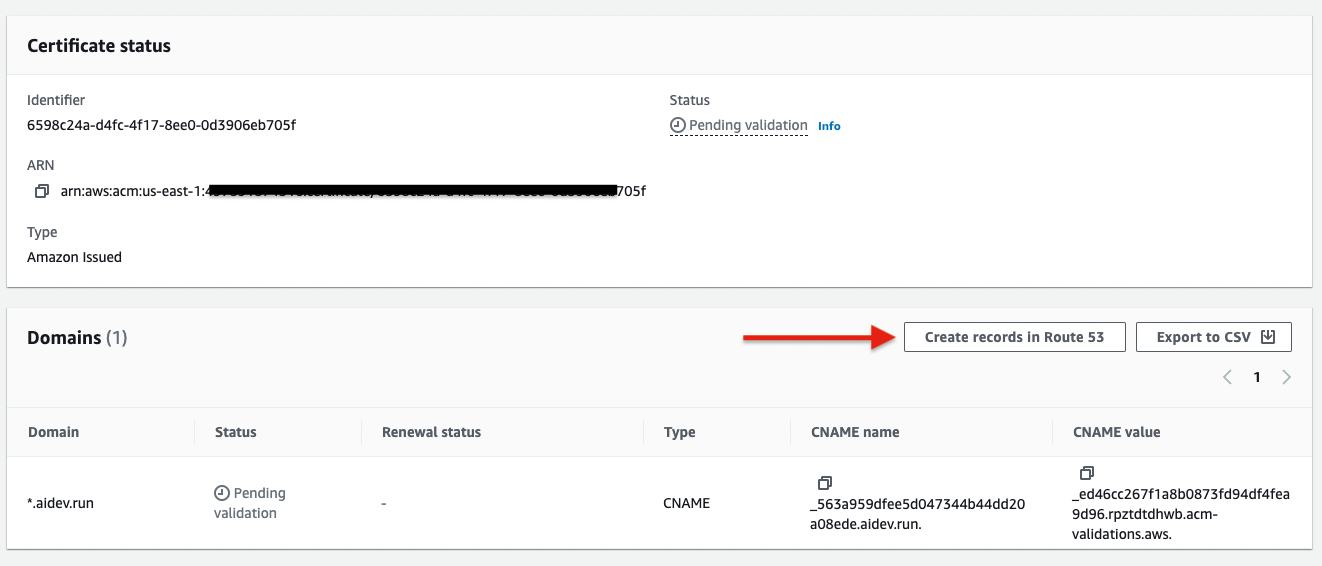
Certificate validation takes 5-30 minutes. Wait until status shows “Issued”.
Step 3: Configure Load Balancer
Verify HTTPS Works
Troubleshooting
| Issue | Solution |
|---|---|
| Certificate not validating | Check CNAME records in Route 53, wait up to 30 min |
| Certificate not showing in dropdown | Must be in same region as load balancer (us-east-1) |
| HTTPS not working after setup | Run ag infra patch prd:aws:::listener again |