

Prerequisites
Before connecting, ensure:| Requirement | Check |
|---|---|
| Deployment is running | curl https://your-domain.com/health returns OK |
| HTTPS is configured | URL starts with https:// |
| Certificate is valid | No browser warnings when visiting your domain |
HTTPS is required. If you haven’t set it up yet, see Add HTTPS.
Connect Your AgentOS
Open os.agno.com
Go to os.agno.com and sign in.
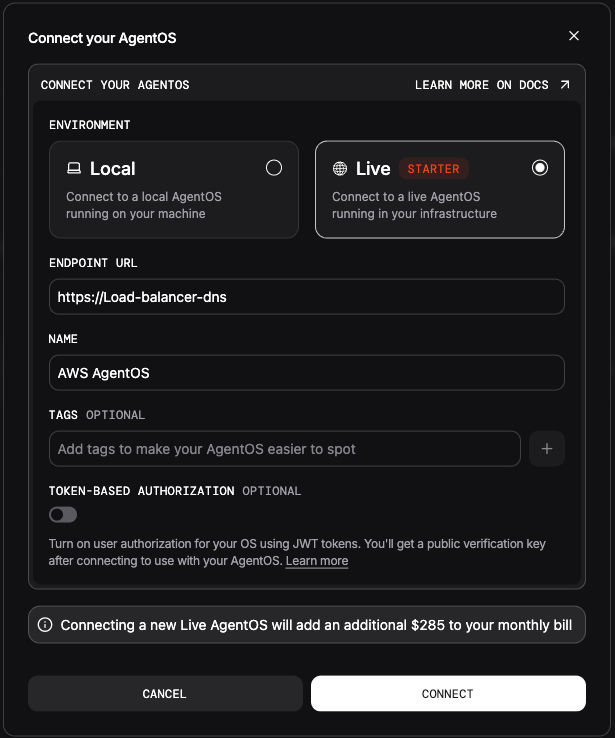
Verify Connection
Once connected, you should see:- Your agents listed in the dashboard
- Real-time status updates
- Ability to interact with your agents
Troubleshooting
| Status | Cause | Solution |
|---|---|---|
| ”Unhealthy” | Health check failing | Check /health endpoint returns 200 |
| ”Unreachable” | Network issue | Verify HTTPS certificate is valid |
| ”Connection refused” | Firewall blocking | Check security group allows inbound 443 |
Check from os.agno.com’s perspective
Your endpoint must be publicly accessible. Test from outside your network:HTTP/2 200.